

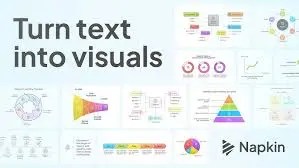
Napkin AI is an innovative AI-powered platform designed to convert your written text into engaging, professional-quality visuals such as infographics, diagrams, flowcharts, and charts. It streamlines the process of visual storytelling, making it accessible to anyone—whether you’re a business professional, educator, content creator, or marketer—without requiring design expertise.
I’d like to personally recommend this tool since I’ve found the UI to be quite user friendly, though there’s room for improvement! 🙂 Read on for details!
How Napkin AI Works
- Paste or Generate Text: You start by either pasting your existing text or generating new text using Napkin’s AI text generation feature. No complicated prompts are needed; simply input your text and let Napkin do the rest.
- Instant Visual Suggestions: Napkin automatically creates multiple relevant visualizations based on your text. You can browse through these options and select the visual that best represents your ideas.
- Customization: Once you pick a visual, you can fully customize it by editing text, changing fonts, colors, icons, shapes, and styles. Napkin offers a rich library of icons and smart decorators to enhance your visuals.
- Export and Share: Finished visuals can be exported as high-quality PNG, SVG, or PDF files. You can also share your Napkin documents via links, allowing others to view or collaborate with different permission levels.
Key Features and Advantages
- No Need for Prompt Writing: Unlike many AI tools, Napkin works directly from your text without requiring complex prompts, making it user-friendly for all skill levels.
- Visual Editing and Flexibility: The platform combines document editing with native visual generation and editing, allowing seamless integration of text and visuals in one workspace.
- Wide Use Cases: Ideal for presentations, blogs, social media content, educational materials, and business documents, helping users make their communication more effective and engaging.
- Collaboration Tools: Supports real-time multi-user editing and commenting, similar to Google Docs, facilitating teamwork and feedback.
- Extensive Icon and Design Library: Offers over 50 new design templates and a large icon database with improved matching to ensure visuals fit your specific needs and branding.
- Cross-Platform Sharing: Visuals can be integrated easily into popular platforms like Google Slides, Microsoft PowerPoint, Canva, Slack, LinkedIn, and more.
Limitations of Napkin AI
- Best Experience on Desktop: While visuals can be viewed on mobile, editing is optimized for desktop use due to the need for detailed control with mouse and keyboard.
- Still in Beta: Napkin is currently in beta, offering free access to Pro features, but premium plans with additional capabilities may be introduced later.
- Not a Full Image Generator: Napkin focuses on transforming text into structured visuals rather than free-form image generation like DALLE.
Who Should Use Napkin AI?
- Business Professionals & Marketers: To create compelling presentations, pitch decks, and reports that stand out.
- Educators & Trainers: For making clear, visually engaging teaching materials and summaries.
- Content Creators & Bloggers: To enhance articles and social media posts with attractive infographics.
- Designers & Students: For quick diagramming and visual brainstorming without starting from scratch.
- Teams & Collaborators: To co-create and provide feedback on visual content in real-time.
Pricing
Napkin AI is currently free to use during its beta phase, including access to Pro features. There may be premium plans in the future with expanded quotas and customization options.
Alternative Tools
- Canva: Popular for designing a wide range of visuals with templates and drag-and-drop ease.
- Visme: Focuses on infographics and presentations with rich customization.
- Miro: Great for collaborative whiteboarding and diagramming.
- Lucidchart: Specialized in flowcharts and process diagrams with collaboration features.
Napkin AI stands out by combining AI-powered text-to-visual transformation with an intuitive editing environment, making it a powerful tool for anyone looking to elevate their communication through visuals quickly and effectively.
 Just Being Resourceful!
Leave a comment