
If you’ve ever tried to edit a video, you know the “Timeline Dread.”
You open your software, and you’re stared down by empty tracks, confusing tools, and the sinking realization that you’re about to lose the next four hours of your life trying to sync audio with a transition.
For most of us, the barrier to creating video isn’t a lack of ideas; it’s the technical friction.
That’s why I want to talk about Medeo.
Most AI video tools fall into two camps: either they are too simple and make generic, robotic slideshows, or they are just regular editors with a few “AI” stickers slapped on.
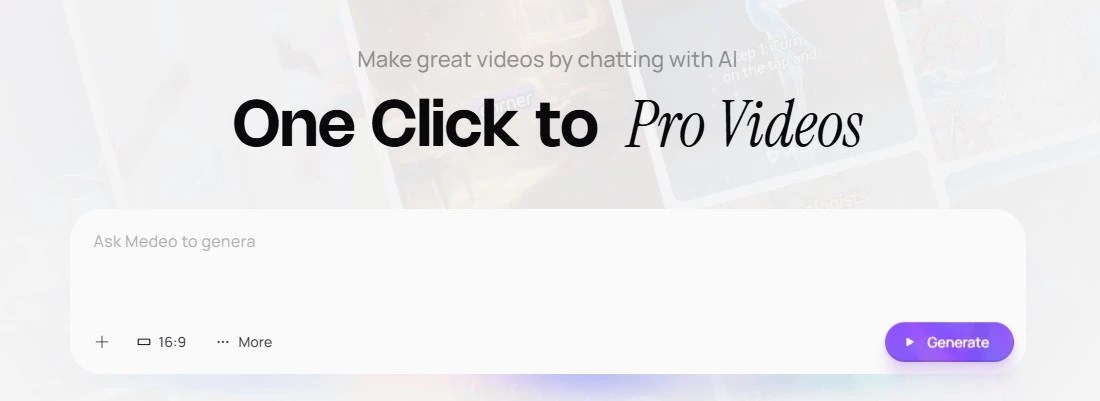
Medeo is different because it changes the interface entirely. You don’t click and drag; you just talk.
What is Medeo?
Medeo is an AI video editor that works like a conversation.
Instead of hunting for the “razor tool” or trying to figure out keyframes, you type instructions like “Make the music more upbeat” or “Cut the silence at the beginning,” and the AI executes it.
It’s built for people who want to be directors, not technicians.
Why This is Actually Useful (And Not Just Hype)
Here’s the thing: most AI tools fail when you try to change something. They give you a generated video, and if you don’t like it, you’re stuck regenerating the whole thing and hoping for the best.
Medeo shines in the editing.
Here is a practical workflow you can use right now:
- The “Text-to-Video” Start: You have a blog post or a rough idea. You paste that text into Medeo. It generates a base video with stock footage, subtitles, and voiceover.
- The “Chat” Edit: You watch it back. Maybe the pacing is too slow. Instead of manually trimming clips, you type: “Make the intro faster and punchier.” Boom. Done.
- Character Consistency: If you are telling a story, Medeo keeps your AI characters looking the same across different scenes. This is a massive pain point in other tools that Medeo just solves.
Who Should Use This?
- Content Creators: If you need to turn your Tweets or Threads into TikToks/Reels quickly without learning Premiere Pro.
- Marketers: You can churn out five variations of an ad in the time it usually takes to render one.
- Educators: Turn a lesson plan into a visual explainer without needing a film crew.
The Verdict
We are moving toward a world where “editing” looks less like engineering and more like creative direction. Medeo is one of the first tools I’ve seen that really nails this shift.
It’s not about being lazy; it’s about speed of implementation. If you can type, you can now edit.
Give it a spin and let me know your experience!
 Just Being Resourceful!
Leave a comment