
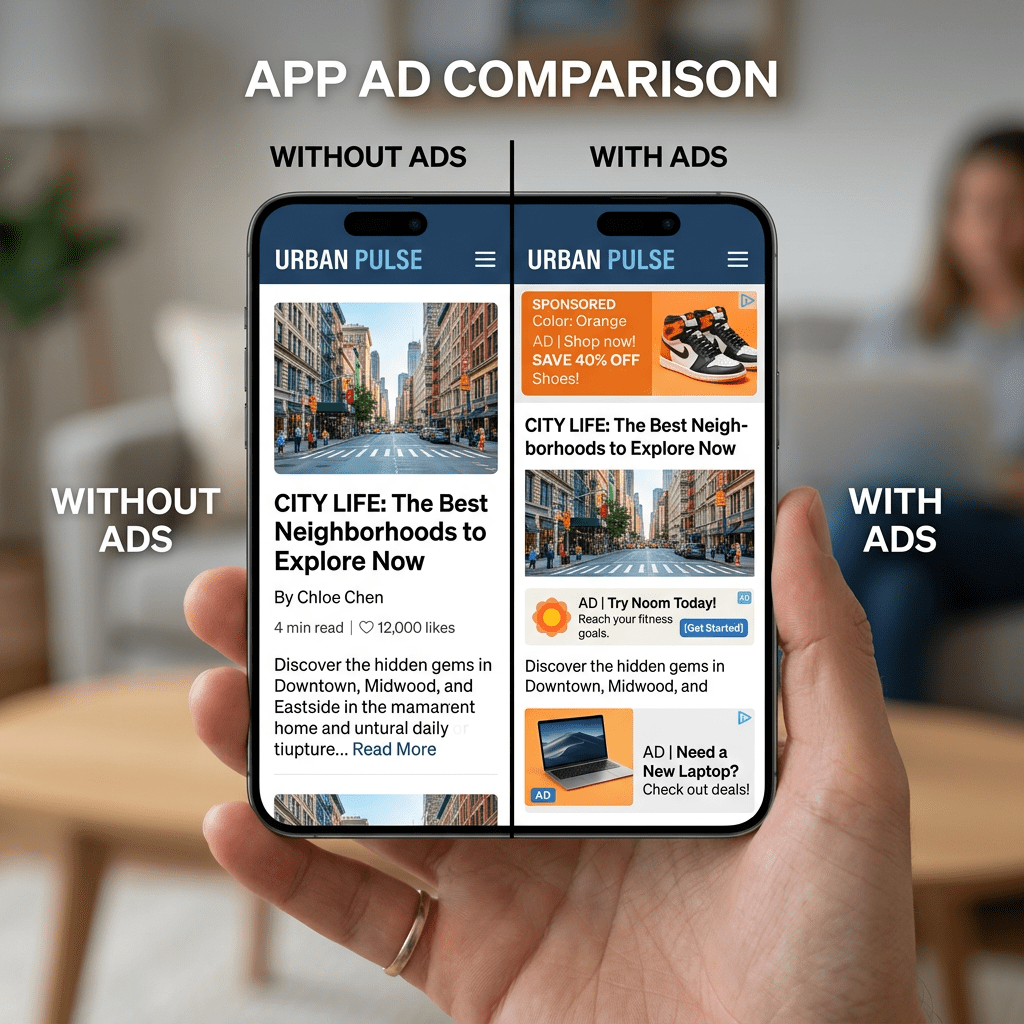
Ad blockers have always had one embarrassing blind spot: they clean up your browser and then leave every app on your phone wide open. Filtr just closed that gap on Apple devices, and it costs five dollars a year.
Here is the thing about ad blockers. Most people install one for Safari or Chrome, watch the web get quieter, and assume the job is done. It is not. The moment you open a news app, a weather app, or a free game, the ads come flooding back, and so does the tracking code that follows you around the internet.
That gap has existed for years because mobile operating systems made it genuinely hard to block ads at the app level without routing all your traffic through a VPN or a custom DNS server. Both options work, but both come with tradeoffs around speed, battery, and trust.
A solo developer named Kaylee Serena Calderolla just shipped a tool called Filtr that sidesteps all of that. It blocks ads inside almost every app on your iPhone, iPad, and Mac, it does not touch your data, and it leans on a brand new piece of Apple software to pull it off. Let’s break down what it actually does, how to set it up, and where it falls short.
What Filtr Actually Is
Filtr is not a standalone app. It is a paid add-on bundled into Wipr 2, a Safari ad blocker that has been around for years and has a loyal following among Apple users who want something they can set once and forget.
Wipr on its own blocks ads in Safari. It stops the ads from loading and, just as importantly, stops the tracking scripts advertisers use to build a profile of your browsing. Filtr takes that same philosophy and extends it past the browser to nearly every app on your device.
The developer behind it, Calderolla, is a one-person operation. She handles the code, the support, and the blocklist herself, which is worth knowing because it shapes how the product works: simple, opinionated, and built for people who do not want to fiddle with settings.
The New Apple Tech That Makes This Possible
Filtr only works because Apple added a feature called URL Filters to iOS 26 and macOS 26. This matters more than it sounds.
URL Filters let a developer block specific web addresses at the network level, system-wide, without ever seeing your traffic. That last part is the whole point. Older approaches to app-level ad blocking made you choose between privacy and convenience:
- VPN-based blockers route every byte of your traffic through a third-party app or server. They work, but now you are trusting that company with everything you do online.
- DNS-based blockers can only block entire domains, which often breaks the apps you are trying to clean up.
- Network-level home setups like Pi-hole are excellent, but they only protect you when you are on your home Wi-Fi. Step outside, and you are exposed again.
Filtr avoids all three problems. It blocks at the URL level, which is more precise than blocking a whole domain, so it can stop ads without breaking the app. It stops requests before they ever leave your device, which is faster and easier on your battery. And it never sees your network traffic at all, so there is no third party to trust.
According to the developer, Filtr is the first app to use the URL Filters feature, partly because Apple’s documentation was so thin that getting it working was, in her words, a serious slog. Calderolla wrote about that struggle in a blog post when Filtr shipped.
How the Privacy Actually Works
This is the part that separates Filtr from most app-level blockers, so it is worth slowing down on.
Filtr keeps a “pre-filter” blocklist stored directly on your device, and the Wipr app keeps it constantly updated in the background. When you open an app, the pre-filter list checks whether a requested address is on the block list. Most of the time it is not, and the content loads normally.
If the pre-filter list flags an address as a possible match, it does a quick confirmation against the master list on the developer’s servers. Here is the clever bit: those confirmation requests are routed through Apple’s servers as a proxy, so the app developers whose blocklists are being queried never learn who is doing the querying.
The developer’s own privacy policy states plainly that her apps do not collect personal data and do not need access to any to function. It is also worth noting Filtr is not a VPN. You can run it alongside a VPN, alongside iCloud Private Relay, and alongside a custom DNS setup without conflict.
For a privacy tool, the highest praise you can give is that you set it up once and never think about it again. Filtr earns that.
What It Costs
The pricing is refreshingly simple, especially in an era where everything is a recurring subscription.
- Wipr 2 is a one-time $4.99 purchase on the App Store. It is a universal app, so a single purchase covers your iPhone, iPad, Mac, and Vision Pro.
- Filtr is an in-app purchase on top of that: $5 per year, or a $25 one-time lifetime payment.
- The Filtr unlock covers all your devices and works with Family Sharing, so your household is covered under one purchase.
Put together, the lifetime route costs about $30 once and never again. Compared to ad blockers and privacy tools that charge $40 to $100 per year, this is an outlier on price.
How to Set Up Filtr: Step by Step
The setup takes a few minutes, and the one thing that trips people up is forgetting to enable it on each device. The purchase is shared across your devices, but the enabling step is not. Here is the full walkthrough.
- Update your devices to iOS 26 or macOS 26. Filtr will not appear at all on older versions. If you do not see the Filtr menu in step 4, this is almost always why.
- Install Wipr 2 from the App Store. Grab it here for $4.99. One purchase installs it on all your Apple devices.
- Activate Wipr in Safari first. Open the app, tap Activate Wipr, and follow the prompts. On iPhone and iPad, you may need to go to Settings, Apps, Safari, Extensions, and confirm all four “Wipr – Blocklist” extensions are switched on.
- Open the Filtr menu. Inside Wipr, tap More, then Filtr. If the menu is missing, you are on an older OS version (see step 1).
- Buy the Filtr unlock. Choose the $5 annual subscription or the $25 lifetime option. Confirm the purchase through your Apple account.
- Add the URL filter to your device. Filtr will prompt you to install the URL filter. Approve it. This is the system-level hook that does the actual blocking.
- Repeat the enable step on every device. Your purchase carries over, but you have to activate Filtr separately on your iPad and Mac. Skipping this is the single most common reason people think it “isn’t working.”
- Test it. Open an ad-heavy app you use often, like a news app, and see if the ad slots are gone or replaced with greyed-out placeholders. That blank space is Filtr doing its job.
If you ever hit a problem with a specific app, you can report it. On iPhone and iPad, press and hold the app’s icon, tap Share App, and pick Wipr in the share sheet. The developer maintains the blocklist personally and acts on reports.
What It Won’t Block (Read This Before You Buy)
No ad blocker is perfect, and Filtr has real limits you should understand going in. These are not dealbreakers, but they are honest tradeoffs.
It cannot block ads served from the same domain as the app. This is the big one. Apps like Facebook, Google, and Reddit serve their ads from their own network. Blocking those addresses would block the entire app and break it completely. So you will still see ads inside those specific apps. The developer notes Filtr can occasionally catch some of these because it filters specific addresses rather than whole domains, but do not count on it for the big social platforms.
The workaround for those apps: use their mobile websites in Safari instead of the native app. Lifehacker tested this and confirmed that Wipr’s browser-level blocking kicks in on the mobile sites, so you get a cleaner experience that way. Open Reddit or Facebook in Safari rather than the app and the ads largely disappear.
It works best with Safari. Filtr affects most other browsers on iOS and some on macOS, but network-level blocking is a blunt instrument across third-party browsers. For the cleanest results, Safari is still the home turf.
It is Apple-only. Wipr and Filtr are built on Safari-specific and Apple-specific technology. There is no Android, Windows, Linux, Chrome, or Firefox version, and the developer has been clear there are no plans for one.
Why This Launch Matters Beyond One App
Step back from the five-dollar price tag and there is a bigger story here.
App-level tracking has been the privacy gap nobody could close cleanly. The FBI has recommended ad blockers as a defense against online scams and malicious ads, but that advice mostly applied to browsers. The apps you spend most of your screen time in stayed exposed.
Filtr is the first tool to extend that protection system-wide on Apple devices, and it does it without the privacy cost of a VPN or the breakage of a DNS blocker. That is possible only because Apple built URL Filters into the OS. Expect other privacy developers to start building on the same feature now that someone has proven it works and documented the pain of getting there.
For anyone who has watched their phone quietly become an advertising surface, this is a meaningful shift. The tooling to push back is finally catching up to where the tracking actually happens.
Should You Get It?
If you live inside the Apple ecosystem and you are even mildly annoyed by ads and tracking, the math is easy. Five dollars a year, or thirty dollars once for life across your whole family, to strip ads out of most of your apps with zero ongoing effort.
If most of your time is spent inside Facebook, Instagram, or Reddit’s native apps, temper your expectations, because those are exactly the apps Filtr cannot fully clean. For everything else, from news apps to weather apps to the random free utilities cluttered with banner ads, it does what it promises.
Set it up once, enable it on each device, and let it disappear into the background. That is the whole pitch, and for a privacy tool, it is a good one.
If you know someone who complains about ads in their phone apps every single time you hand them yours, send them this. Five dollars a year will end the complaints.
Sources and further reading
- Filtr is a new privacy tool that blocks ads in almost every iPhone and Mac app, TechCrunch (June 2026).
- Wipr Help: What Is Filtr?, Kaylee Serena Calderolla (official developer documentation).
- Filtr Is Out Now, Kaylee Serena Calderolla (developer blog).
- URL Filters, Apple Developer Documentation.
- This Tool Can Block Ads in Almost Any iPhone App, Lifehacker.
- Wipr 2 on the App Store, Apple App Store.


Leave a Reply