
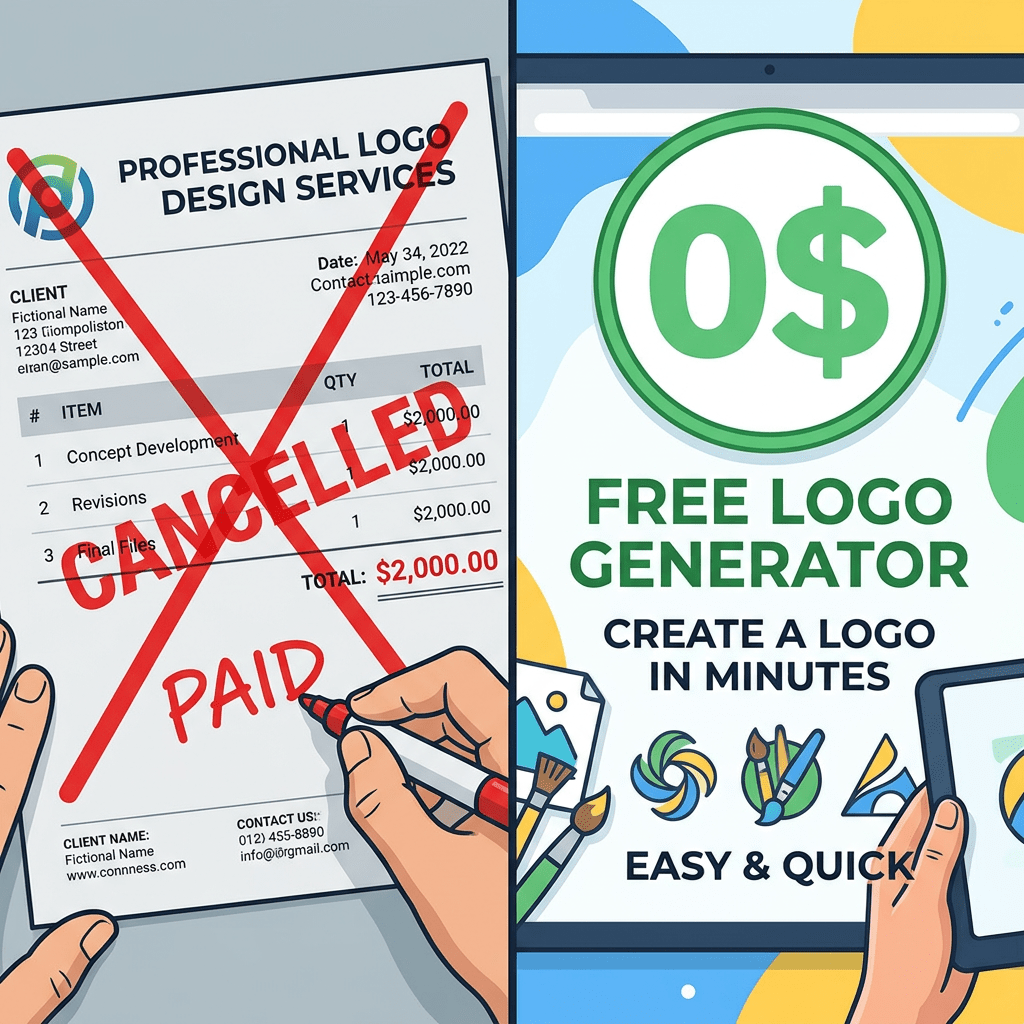
A decent logo used to cost between $500 and $2,000 from a competent freelancer, or $5,000 to $50,000 from an agency that wanted to do positioning work too. Neither price was unreasonable for the craft involved. Both were impossible on a bootstrapped budget.
That math collapsed in the last twenty four months. You can now get to a respectable logo in fifteen minutes, for somewhere between $0 and $99, without sounding like every Canva-template startup on Instagram.
The catch is that the AI logo generator space is crowded. Looka, Canva, Logo.com, Adobe Express, Brandmark, Logo Diffusion, Fiverr Logo Maker, Designs.com, BrandCrowd, Wix, Hatchful, LogoAI, Tailor Brands. Each one promises to be the answer. Most are competent. A few are genuinely good. And the right one depends entirely on what you are trying to do.
Here are the seven worth your time in 2026, what each one is actually built for, and what each one costs.
First, the Honest Bit About What These Tools Can and Cannot Do
Before the list, a quick reality check that most comparisons skip.
An AI logo generator can give you a clean, professional looking wordmark or icon in minutes. That part is real. What it cannot give you is brand strategy, audience positioning, or a logo that genuinely could not have been generated for someone else with similar inputs.
If you are raising a Series A and your logo is going on a fund’s portfolio page next to companies that paid Pentagram, hire a designer. If you are launching a side project, opening a café, building a SaaS MVP, or registering a company that needs a logo on its incorporation papers next month, you are in the AI sweet spot.
Now, the seven.
1. Looka: The Default Pick for First-Time Founders
Looka is the closest thing this category has to a category leader. Formerly Logojoy, now powered by an AI logo engine plus a deep stock icon library, it earns its reputation honestly.
How it works: Answer five questions about your business name, industry, style preferences, colours, and symbols. Looka generates dozens of logo concepts. You pick one, refine it in the editor, and pay only when you download.
Pricing:
- Basic Logo: $20 one-time for a single low-resolution PNG. Treat this as a preview tier, not a usable file.
- Premium Logo: $65 one-time for high resolution PNG, SVG, EPS, and PDF files with full ownership and unlimited post-purchase edits.
- Brand Kit Subscription: $96 a year for the Premium logo plus 300+ branded asset templates including business cards, social media kits, and letterheads.
What it is good at: Looka sits at 4.4 stars across 14,000+ Trustpilot reviews, which is a real signal. The output looks finished. The mockup previews (logo on a business card, on a sign, on a t-shirt) help you visualise the choice before buying.
What it is not good at: Looka relies heavily on a shared stock icon library. If your industry is crowded, you may find logos that resemble competitors’. Customisation is decent but not deep. Reviewers consistently flag that the one-logo-per-subscription model gets restrictive if you need variations.
Pick this if: You are starting your first business, you want a brand kit alongside the logo, and you want one clean payment instead of a recurring subscription. The $65 Premium plan is the sweet spot.
2. Canva AI: The Tool You Probably Already Pay For
If you already use Canva for social posts or pitch decks, your logo can live there too. Canva’s logo offering now spans two products: the classic template-based Logo Maker and the newer AI Logo Generator powered by its Dream Lab model.
How it works: Type a prompt describing your logo into Dream Lab inside Canva AI. The model generates concepts based on your description, style choice, and any reference image you upload. Free Canva users get up to 20 AI logo generations a month.
Pricing:
- Free: 20 AI logo generations a month, plus the classic template maker. You can download PNGs at no cost.
- Canva Pro: $12.99 a month or roughly $120 a year, with localised pricing in most major markets. Includes unlimited Magic Studio access, brand kits, premium templates, and background removal.
What it is good at: The price-to-utility ratio is hard to beat. For roughly the cost of a monthly streaming subscription you get a logo maker, a deck builder, a video editor, and a stock library. Brand kits keep your logo, your Instagram, and your packaging visually consistent.
What it is not good at: Dream Lab logos can feel generic without careful prompting. Vector (SVG) export requires Pro. And because Canva is built for broad design, the logo-specific workflows feel shallower than dedicated tools like Looka or Brandmark.
Pick this if: You already pay for Canva Pro, your brand sits in a visual category (lifestyle, food, retail, content creation), or you want one subscription that covers the logo and everything else your brand needs.
3. Logo.com: The Most Generous Free Tier
Logo.com is the most generous free option on this list. You can design a logo, download a high-resolution PNG with full commercial license, and pay nothing. That alone makes it worth a try before you spend anything anywhere else.
How it works: Enter your business name, pick your industry, choose style preferences. The AI generates logo concepts that you can edit in the browser. Download the free PNG, or upgrade for vector files and a brand toolkit.
Pricing:
- Free: Download a high-resolution PNG with full commercial license. No watermark, no catch.
- Brand Plan: $72 a year for SVG and PDF vector files, brand templates, a website builder, and AI tools.
What it is good at: The custom icon creator. No other logo maker on this list lets you generate a unique vector icon from a text prompt (“a coffee cup wearing a hat”, “a lion holding a paintbrush”). For founders who want something that does not look like a stock library pick, this is meaningful.
What it is not good at: Free PNG is fine for digital use, but if you ever need to print on a billboard, a t-shirt, or merchandise, you need the vector files locked behind the Brand Plan. Brand kit assets are leaner than Looka’s 300+ templates.
Pick this if: You are launching with zero budget and need a clean logo this evening. Use the free tier. If it works, upgrade later for vector files when you actually need them.
4. Adobe Express with Firefly: The Commercially Safe Option
This one is interesting and rarely makes generic “best AI logo” lists despite being the strongest option on a specific dimension that matters: commercial safety.
Adobe Express includes an AI logo generator powered by Adobe Firefly. The model is trained exclusively on Adobe Stock images, openly licensed content, and public domain material. Translation: Adobe offers commercial indemnification for qualifying enterprise users, something neither Looka, Canva, nor any web-scraped AI model can promise.
How it works: Describe your logo in plain language. Express generates options using Firefly. The Photoshop and Illustrator design primitives sitting under the hood mean the editing is more sophisticated than most pure-play logo makers.
Pricing:
- Free plan: Basic logo creation, limited credits.
- Adobe Express Premium: $9.99 a month for advanced AI features, premium templates, background removal, and bulk resize.
- Creative Cloud All Apps: $59.99 a month, bundles Express, Firefly, Photoshop, and Illustrator. If you are already a CC subscriber, the logo maker is included.
What it is good at: The output quality is strong, the editing tools are professional, and the IP safety story is genuinely useful for regulated industries, agencies producing for clients, or anyone planning to file trademarks.
What it is not good at: The learning curve is higher than Looka or Logo.com. If you have never used Adobe products, the interface feels heavier than it needs to be for a logo-first task.
Pick this if: You already pay for Creative Cloud, your business is in a category where IP indemnification matters (finance, healthcare, B2B SaaS sold to enterprises), or you want the most editing depth of any AI logo tool.
5. Brandmark: One-Time Pricing, Plus an Optional Human Designer
Brandmark is built on a deep learning model trained on a million-plus logo images, with some genuinely interesting auxiliary tools: an AI Color Wheel, a Logo Rank scoring system, and a Font Generator that pairs typefaces by mood.
How it works: Enter your name, a few brand keywords, and your preferred colour tones. The AI generates concepts. Edit, download, done.
Pricing:
- Basic: $25 one-time for logo files in standard formats.
- Designer: $65 one-time for source files, business card designs, brand guidelines, social media graphics, app icons, and letterheads.
- Enterprise: $175 one-time. Everything above, plus up to 10 original logo concepts developed by a human design team.
What it is good at: The hybrid AI plus human model at the Enterprise tier is unique. You get speed where speed helps and human judgement where it matters. The one-time pricing model is refreshing if you hate subscriptions.
What it is not good at: The AI by itself produces solid but not distinctive results. Brand kit options are leaner than Looka’s. And the human-designed Enterprise tier introduces a turnaround time that the others avoid.
Pick this if: You want to pay once and own the result, you appreciate the option of human escalation, or you specifically need a tool that scores your design choices (Logo Rank is genuinely useful for non-designers).
6. Logo Diffusion: Built for Designers Who Want to Iterate
This is the one professional designers and serious freelancers gravitate toward. Logo Diffusion is a generative AI tool specifically tuned for logo design, with raster-to-vector conversion, sketch-to-logo workflows, and 2D-to-3D illustration as built-in features.
How it works: Write a text prompt, upload a sketch, or upload an existing logo. The platform runs it through custom-trained diffusion models. The V.5 update fixed the spelling errors that plagued earlier generations, and the system now handles text inside logos cleanly.
Pricing:
- Free: 20 credits a month (about 10 designs), no commercial licence.
- Basic: $24 a month for 1,000 credits, vector exports, and commercial use.
- Pro: $49 a month for 2,500 credits, three concurrent generations, higher tool limits.
- Elite: $99 a month for 6,000 credits, four concurrent generations, for agencies producing at scale.
What it is good at: Iteration. Most logo tools generate concepts and let you tweak. Logo Diffusion lets you generate, refine, regenerate, sketch over, convert to vector, upscale, and explore styles like hyperrealism, engraved, photoreal, abstract, minimalist, and vintage. For freelancers building logos for clients regularly, this earns its subscription.
What it is not good at: If you only need one logo for one business, the monthly subscription is overkill. The free tier is more a trial than a usable product because the commercial license sits behind paid plans.
Pick this if: You are a freelance designer or solo studio owner producing logos for clients monthly, or a founder who wants genuinely unique vector-grade output and is willing to iterate.
7. Fiverr Logo Maker: AI Built on Real Designer Templates
Fiverr Logo Maker takes a different approach. Instead of generating logos from scratch with a model, it generates them from a library of professional designs created by real Fiverr designers, then customises with AI based on your inputs.
How it works: Answer questions about your brand, industry, and style. The AI mixes designer-made elements based on your preferences. Customise colours, fonts, and layouts in the editor. Pay only when you download.
Pricing:
- Essential: $30 one-time for standard resolution files with full commercial rights.
- Professional: $60 one-time for high-resolution and vector files, multiple colour variations, social media kit.
What it is good at: Commercial rights clarity. Every logo comes with full commercial usage and explicit ownership terms, which is not a given everywhere on this list. The fact that designs originate from human designers gives the output a slightly more crafted feel than pure-AI tools, and you can also escalate to hiring the original Fiverr designer for further customisation.
What it is not good at: Customisation is limited compared to Logo Diffusion or Adobe Express. You are working with a designer-made base, which means uniqueness depends on how distinctive that base was.
Pick this if: You want explicit commercial rights from the first download, you like the idea of human-designed foundations, or you might want to hire a real designer for follow-up customisation later.
How to Actually Generate a Usable Logo in Fifteen Minutes
Reading about tools is one thing. Generating a logo is another. Here is the exact sequence that produces a usable result, using Looka as the example. The same logic applies to most tools on this list.
- Open looka.com and click Create a Logo. No account needed yet.
- Enter your company name and an optional slogan. Keep the slogan blank if you are unsure. Easier to add later than to remove.
- Pick your industry. Be specific. “Café and Coffee” produces better results than “Food and Beverage”.
- Choose five to seven logo styles you like. Looka will show you pairs of existing logos. Pick honestly. Your selections train the AI’s choices for you. Skip styles that feel close to competitors.
- Select your colour palette. Stick to two or three colours. The AI will use these as primary and accent. If you have not picked brand colours yet, lean toward muted or earthy tones; trendy bright neons date quickly.
- Pick three to five symbols. Be loose here. The AI will combine symbols you select with industry-typical ones. Resist the urge to pick too literally (a coffee bean for a coffee brand is fine, but think about what else conveys your brand).
- Browse the generated concepts. Looka will show you fifty or more. Spend ten minutes here. Save your top five favourites using the heart icon.
- Open the editor and customise. Pick your top concept, then tweak the font, the icon position, the spacing, and the colour balance. The biggest improvement most people miss: increase the white space around the logo and reduce the slogan size by 20%.
- Use the mockup previews before paying. Looka shows your logo on a business card, on a sign, on a t-shirt. If it looks weird on any of these (too thin, too small, hard to read), iterate.
- Pay only when you love it. Pick the $65 Premium plan for vector files. If you also want business cards and brand assets, upgrade to the Brand Kit subscription.
Total time: between fifteen and forty minutes depending on how decisive you are.
The Bit Most Comparisons Skip: AI Logos and Copyright
Here is something worth knowing before you bet your brand on an AI-generated logo.
The United States Copyright Office’s current position is that works generated entirely by AI without meaningful human creative input are not eligible for copyright protection. The UK Intellectual Property Office and the European Union are moving in similar directions, with active debate around the role of human authorship.
What this means in practice:
- Customise heavily. The more human input you add (icon swaps, custom colour palettes, layout choices, typography changes), the stronger your claim to creative authorship in any jurisdiction.
- Trademark registration is separate from copyright, and it is what actually protects your brand commercially. You can register your logo as a trademark with the USPTO, the UK Intellectual Property Office, the EUIPO, or your country’s equivalent registry, regardless of how the logo was generated. Trademark protection stops other businesses from copying you commercially.
- Tools like Fiverr Logo Maker, which build on human-designed elements with explicit commercial rights, give you cleaner ownership terms. Tools like Adobe Firefly, trained on licensed content, give you the strongest IP indemnification at the enterprise level.
Translation: pick the AI tool that fits your budget, customise enough that the result feels yours, and file a trademark application in the markets where you plan to operate.
The Decision Matrix
Seven tools, one logo to design. Here is the simplest way to pick.
Zero budget, need a logo today: Logo.com free tier or Canva free tier. Both produce usable PNGs at no cost.
First-time founder, want a brand kit too: Looka. The $65 Premium plus optional $96 a year Brand Kit covers logo, business cards, social, and email signatures in one stack.
Already on Canva for everything else: Canva AI. Stay in one ecosystem. One Pro subscription covers your logo, your decks, and your social posts.
Already on Adobe Creative Cloud: Adobe Express with Firefly. It is included in your subscription, the IP safety is real, and the editing depth is the strongest of any tool here.
Hate subscriptions, want a one-time payment: Brandmark Designer ($65) or Looka Premium ($65). Both let you pay once and own the files.
Freelance designer, building logos for clients monthly: Logo Diffusion. The iteration depth and vector workflow are worth the $24 to $49 a month.
Want human-designed foundations with the option to hire a real designer later: Fiverr Logo Maker. The commercial rights are the cleanest of the list.
One Last Thing
All seven of these tools can produce something usable. The bigger trap for most founders is not picking the wrong tool. It is spending three weeks debating logo concepts when the business has not launched yet.
The logo matters less than you think at the start, and more than you think later. Get to a respectable one fast, register the trademark, ship the product, and revisit when you have actual customers and actual brand equity to refine. Most globally recognised logos went through three or four iterations across the company’s first decade. You are not designing your final logo right now. You are designing your first.
Pick the tool that fits your stage, spend an evening on it, and move on to the work that actually grows the business.
If this helped you skip a designer quote (or just saved you three weeks of indecision), share it with the founder or solopreneur in your network who is currently stuck on this. They will thank you.

