
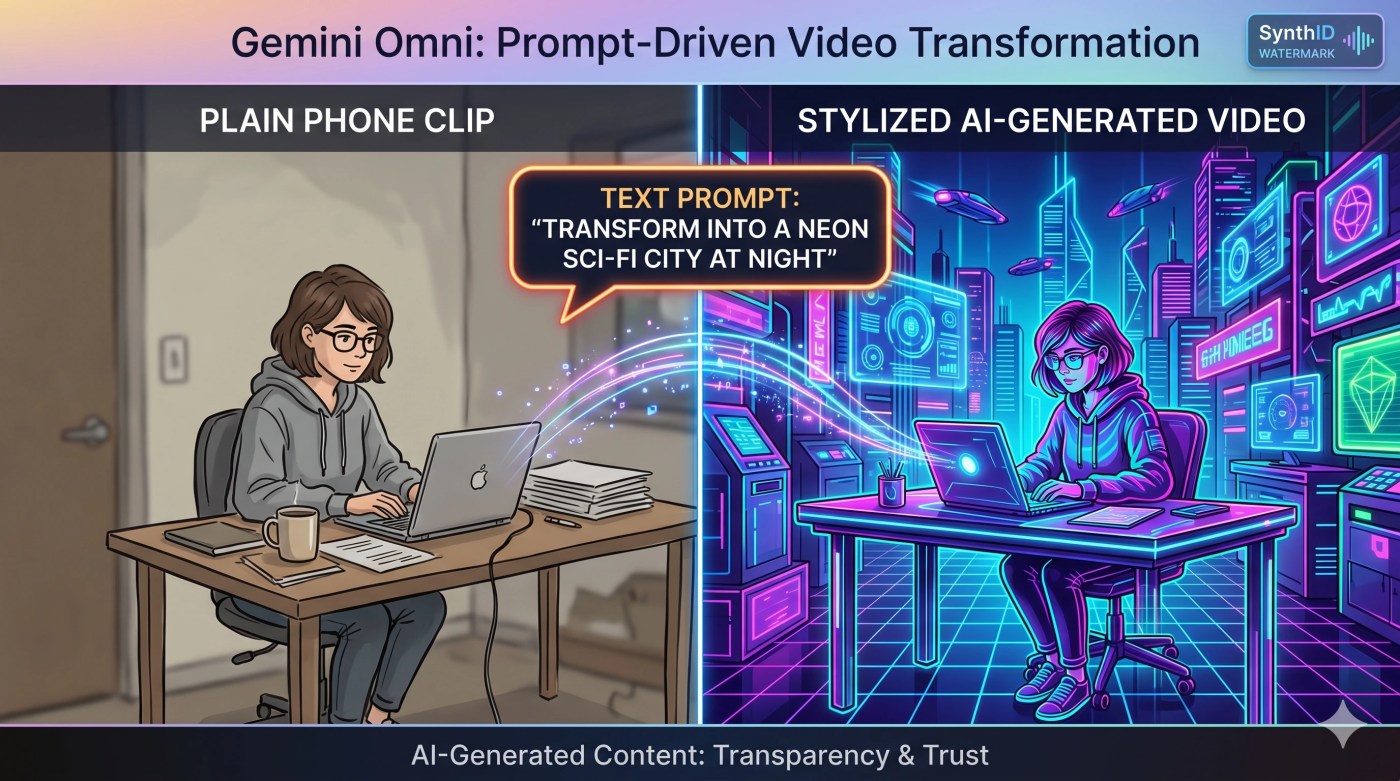
You shoot a 10-second clip on your phone. A plain shot of you sitting at your desk. Then you type one line: turn this into footage from a 1970s sci-fi film, add neon reflections on the wall, and sync the lights to the beat.
A few seconds later, it exists. Not stitched together. Not a filter slapped on top. A new video that understands what you asked for and rebuilds the scene around it.
That is Gemini Omni. Google just turned video creation into a conversation, and it is rolling out right now.
What Google Actually Announced
At Google I/O 2026 on May 19, Google introduced Gemini Omni, a new family of models built to “create anything from any input.” It is starting with one thing: video.
Here is the short version:
- Omni turns any mix of inputs into a finished video. Feed it text, images, video, and audio together, and it reasons across all of them instead of just gluing them in sequence.
- You edit by talking, not by dragging timelines. Every instruction builds on the last one. Your characters stay consistent, the scene remembers what came before, and the physics hold up.
- It understands the real world. Omni has a sharper grasp of gravity, momentum, and fluid dynamics, plus Gemini’s knowledge of history, science, and culture, so the output is grounded rather than random.
- The first model is Gemini Omni Flash. It is live today inside the Gemini app, Google Flow, and YouTube Shorts.
- Every video is watermarked. All Omni output carries Google’s invisible SynthID watermark so anyone can verify it was AI-generated.
One detail most people are skimming past: Google says Omni Flash will replace Veo inside the Gemini app. This is not a side experiment. It is the new default engine for video.
Editing By Conversation Is The Real Headline
Here is the thing about old AI video tools. You typed a prompt, you got a clip, and if it was 90 percent right, you were stuck. To fix the last 10 percent you started over and rolled the dice again.
Omni breaks that loop. You keep one scene and refine it across multiple turns, the same way you would brief a human editor.
Google’s own demo went like this: a video of a violinist playing. Then “transport the violinist to this environment.” Then “make the violin invisible.” Then “change the camera angle to over the violinist’s shoulder.” Each step kept everything else intact.
What this really means for you:
- You can change one thing at a time. Swap the background, change the wardrobe, adjust the lighting, without nuking the rest of the shot.
- Continuity survives. The character you created in turn one still looks like themselves in turn five.
- You can transform reality, not just decorate it. Touch a mirror and make it ripple like liquid. Make a sculpture out of bubbles. Turn a hand-drawn sketch into realistic motion using the drawing only as a movement guide.
That last point is the leap. You are no longer limited to what you could physically film. Your clip becomes a starting point, not the finished product.
The Avatar Feature: You, Without Filming Yourself
Omni also lets you build a digital avatar of yourself from your own voice. Once it exists, you can generate videos that look and sound like you without setting up a camera every single time.
For a creator who posts daily, this is the difference between “film, light, retake, edit” and “type a script, hit generate.” Google says the avatar is optional and that only you can use yours.
If that gives you pause, you are not wrong to feel it. A model that can make a believable video of you talking is powerful and a little unsettling. Which is exactly why the watermark below matters.
How Google Is Trying To Keep This Honest
Every clip Omni produces carries SynthID, an invisible watermark baked into the pixels. You can check whether a video came from Omni through the Gemini app, Gemini in Chrome, and Google Search.
Google is also moving carefully on the riskiest piece. Editing a real video to change what someone says is still in testing, not shipped, because that is where deepfake harm lives.
This is the right order of operations. Ship the creative tools, fence off the impersonation tools until the guardrails are solid.
Omni vs The Tools You Already Know
If you have used Sora, Runway, or older Veo, here is where Omni lands.
| Feature | Gemini Omni Flash | Typical older AI video tools |
|---|---|---|
| Inputs | Text, image, video, and voice combined into one output | Usually text or a single image |
| Editing | Conversational, multi-turn, keeps continuity | Re-prompt and regenerate from scratch |
| Physics and world knowledge | Grounded in Gemini’s reasoning | Often pattern-matched, less consistent |
| Self-avatar | Built in, voice-based | Rare or third-party |
| Watermark | SynthID on every clip | Varies by tool |
| Clip length at launch | About 10 seconds, longer coming | Varies, often longer |
That 10-second cap is worth a flag. Google’s product lead said it is a deliberate choice for launch, not a technical ceiling, with longer durations on the way. For Shorts, Reels, and TikTok, 10 seconds is already the sweet spot. For a two-minute explainer, you will be stitching for now.
How To Create Your First Omni Video, Step By Step
The fastest free route is YouTube Shorts. The most flexible route is the Gemini app on a paid plan. Here is the clean path through the Gemini app.
- Open the Gemini app or gemini.google.com. Make sure you are signed into the Google account that holds your subscription.
- Confirm you have access. Omni Flash is available on Google AI Plus, Pro, or Ultra. If you only want to test it for free, open the YouTube Shorts or YouTube Create app instead.
- Start with a clear prompt. Describe the scene like you are briefing a person. “A marble rolling fast down a chain-reaction track, one continuous smooth shot” beats “cool marble video.”
- Add your references. Upload an image for the character or style, a short clip for the motion, or a voice sample for audio. Omni blends them rather than picking one.
- Generate, then watch the first version. Treat it as a draft, not a verdict.
- Refine in plain language. Reply with one change at a time. “Dim the lights.” “Move the camera over the shoulder.” “Make the wardrobe a black coat.” Let each edit build on the last.
- Check the watermark and export. Every clip carries SynthID automatically. Download it and drop it straight into your Shorts, Reels, or deck.
A habit that pays off fast: keep your prompts short on the first generation, then do your real work in the edits. Omni is built for the back-and-forth, so that is where the quality lives.
Who Should Actually Care
- Short-form creators. Free access through YouTube Shorts plus 10-second clips is a near-perfect match for the format. This is the clearest early win.
- Solo founders and small teams. Product teasers, ad variations, and social clips without a production budget or a camera crew.
- Educators and explainers. Omni turned a short prompt into a claymation explainer of protein folding in Google’s demo. Complex ideas, made visual, fast.
- Marketers testing creative. Spin up five versions of the same concept, different styles, in the time it used to take to brief one.
The Honest Limitations
- Clips are short for now. Roughly 10 seconds at launch. Longer videos are coming, but they are not here yet.
- The best version costs money. Free access is real but lives inside YouTube Shorts and Create. Full control sits behind a Google AI subscription, starting around 8 dollars a month for AI Plus and scaling up from there.
- It runs on AI credits. Paid plans now meter heavy tasks like video by compute, so a long generation session eats more of your allowance than a quick text chat.
- Audio input is limited at first. Only voice references are supported to start. Other audio input types are coming later.
- Speech editing is not live. Changing what a real person says in a video is still being tested and held back on purpose.
- Some features are region-locked. Certain capabilities, especially video-to-video editing, may be restricted depending on your country, and the tool is 18+.
The Bottom Line
For years, AI video felt like a slot machine. You pulled the lever, you got something close, and you could not fix it without starting over.
Omni changes the verb. You are not generating anymore. You are directing. You talk, it adjusts, the scene holds together, and you keep going until it is right.
The 10-second cap and the paywall mean it is not a full production studio yet. But the core idea, edit video by talking to it, is the shift that everything else will copy. If you make anything that moves, this is the week to try it.
If you know one person who still spends three hours editing a 10-second clip, send them this. You might just hand them their weekend back.
Sources and further reading
- Google, Introducing Gemini Omni (May 19, 2026).
- TechCrunch, Google’s Gemini Omni turns images, audio, and text into video (May 19, 2026).
- Google, Gemini Omni video generation overview.
- Engadget, Gemini Omni can generate anything from any input, starting with video (May 2026).
- Google, Everything new in our Google AI subscriptions, fresh from I/O 2026 (May 19, 2026).
- 9to5Google, Gemini Omni, the ‘create anything’ model, starts today with lifelike video (May 19, 2026).


Leave a comment