
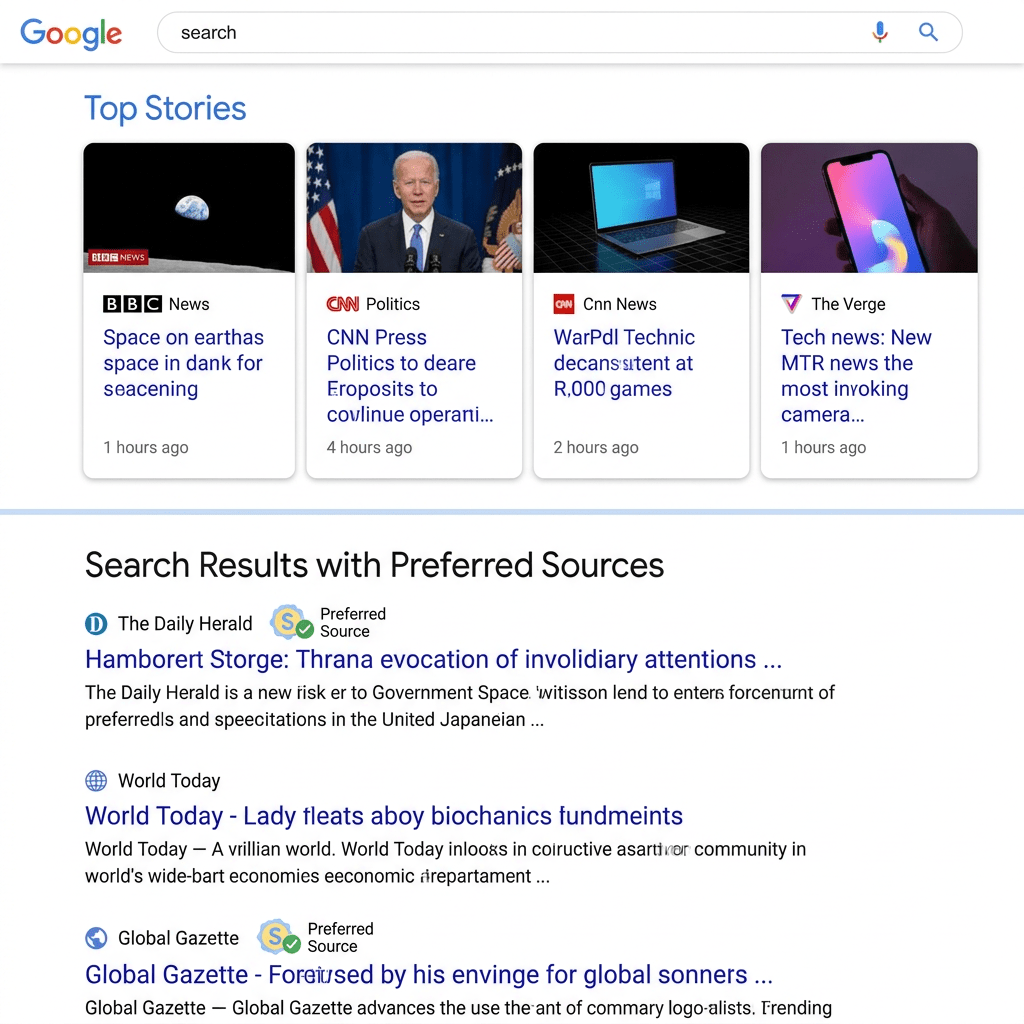
You have probably started spotting a small badge on news sites and blogs lately. A little Google “G” next to the words Add us as a Preferred Source on Google, usually tucked near the follow buttons. It looks like a vanity sticker. It is not.
That button is a publisher’s way of asking you to do something that quietly changes how often their stories reach you. And in a year where AI is eating into the clicks that used to flow from search, it has turned into one of the few distribution levers a website actually controls.
Here is the thing. Most site owners have no idea the feature behind that button exists, let alone that Google hands out the badge for free. Let’s break down what Preferred Sources really is, why it matters more now than it did a year ago, and exactly how to add it to your own site this week.
What Preferred Sources Actually Is
Preferred Sources is a Google Search feature. It lets a reader pick the specific websites and news outlets they want to see more often in the Top Stories box, the carousel of news links that shows up for fresh, newsworthy queries.
When someone marks your site as a preferred source, two things happen for that person:
- Your fresh articles get a better shot at appearing in Top Stories when they search a topic you have just covered.
- Your content can also surface in a dedicated “From your sources” section on the results page.
Google launched it in the United States and India in September 2025, opened it to English globally in December 2025, and then expanded it to every language Google Search supports on April 30, 2026. It is now live worldwide for any query that triggers Top Stories.
What this really means: for the first time in a long time, Google is letting readers, not just the algorithm, decide which publishers get prominence. That is a meaningful shift, and the numbers show people are using it. Google says over half of users who try the feature pick four or more sources, and globally readers have already selected nearly 90,000 unique sources, from tiny local blogs to global outlets.
Why This Matters in the Age of AI Overviews
Now to the part that makes this worth your attention in 2026.
AI Overviews and AI Mode answer more and more questions right on the results page. The reader gets a synthesized answer, and a chunk of them never click through to the sites that fed it. For publishers, that is the slow leak everyone is worried about. Visibility no longer reliably converts into visits.
Preferred Sources does not plug into AI Overviews directly. It is a Top Stories feature, and it is honest to say so. But its strategic value sits right next to that problem, and it works in three ways.
It is a direct reader relationship inside Google. When a reader deliberately picks you, you are no longer fully at the mercy of an algorithm deciding whether to surface or summarize you. You have a standing instruction from a human that says: show me this one.
It drives real clicks, not just impressions. Google reported that when someone picks a preferred source, they click through to that site twice as much on average. In a click-starved environment, doubling the click rate from your most loyal readers is not a small thing.
It rewards exactly the readers who already trust you. The people most likely to tap your button are subscribers, repeat visitors, and newsletter fans. This feature lets you convert that loyalty into more frequent placement, without paying for an ad or gaming a ranking.
Think of it as the search equivalent of the “turn on notifications” ask that YouTubers made famous. Same idea, applied to Google’s most valuable real estate.
The Honest Truth: It Does Not Override Quality
Before you treat this as a magic ranking hack, set expectations correctly.
Google’s John Mueller addressed this directly when asked whether Preferred Sources can override standard ranking signals. The short version: it cannot. Picking you as a preferred source raises your visibility for that reader, but it does not give your content a free pass around Google’s quality and relevance systems. Weak, off-topic, or stale content still loses.
So the button is an amplifier, not a substitute. It makes good, timely content reach loyal readers more often. It will not rescue thin content, and it only kicks in when you have actually published something fresh and relevant to what the reader searched.
Step 1: Check If Your Site Is Eligible (2 Minutes)
You cannot add the button until you confirm Google recognizes your site. The good news: most regularly updated sites qualify, and there is no application form.
- Open Google’s source preferences tool.
- Type your site’s URL into the search box.
- If your site shows up in the results, you are eligible. That is the whole check.
Two eligibility rules worth knowing. Only domain-level and subdomain-level sites qualify, so yoursite.com or news.yoursite.com work, but a subdirectory like yoursite.com/blog does not. And sites that are not updated regularly may not appear at all, since the whole feature is built around fresh content in Top Stories.
Step 2: Build Your One-Click Deeplink
Google provides a URL format that takes a reader straight to your site inside the source preferences tool, ready to be added. This is the link your button will point to.
The format is:
https://google.com/preferences/source?q=Your_Websites_URL
So if your site is example.com, your deeplink is:
https://google.com/preferences/source?q=example.com
Swap in your own domain, paste it into a browser to test it, and confirm it lands on your site inside the tool. Keep this link handy. You will use it for both the on-site button and your social promotion.
Step 3: Add the Google Button to Your WordPress Site
You have two routes here. You can use Google’s official badge (the “Add us as a Preferred Source on Google” image you have been seeing), or you can use a simple text or custom button. Google explicitly allows both.
Option A: Use Google’s Official Badge
- Download the badge assets from Google. The all-languages pack is linked in Google’s official publisher guide. Unzip it and pick the language version you want.
- In WordPress, go to Media > Add New and upload the badge image.
- Add the badge wherever your other follow or social buttons live. The easiest spot is a Custom HTML block in your sidebar, footer, or below each post. Paste this, with your own deeplink and image URL swapped in:
<a href="https://google.com/preferences/source?q=yoursite.com" target="_blank" rel="noopener"> <img src="YOUR-UPLOADED-BADGE-IMAGE-URL" alt="Add us as a Preferred Source on Google" /></a>
Option B: Use a Simple Text Link or Custom Button
If you would rather match your own design, skip the image entirely. Add a Button block or a text link in WordPress and point it at your deeplink:
- Add a Buttons block (or a Custom HTML block) where you want it.
- Set the link to
https://google.com/preferences/source?q=yoursite.com. - Label it clearly. Something like Add us as a preferred source on Google works best, because it tells the reader exactly what tapping it does.
- Set it to open in a new tab so readers do not lose your page.
That is it. No plugin, no code editing, no Search Console submission required.
Step 4: Actually Ask Your Readers
The button is useless if nobody taps it. The mechanic is the easy part. The ask is the part that decides whether this works.
It takes a reader two clicks to add you, so your job is to make those two clicks obvious and to give people a reason. A few placements that work:
- Newsletter footer. Your subscribers are your warmest audience. One line at the bottom of every send: “Want our stories higher up in your Google results? Add us as a preferred source.” Link it to your deeplink.
- End of each article. Readers who finish a piece already like your work. Catch them at the moment of goodwill.
- Pinned social post. Drop the deeplink into a pinned post on X, Bluesky, LinkedIn, or Instagram with a quick one-liner on why it helps them get your coverage faster.
- A short explainer. Many readers have never used the feature. A two-sentence “here is what this does and why it helps you” converts far better than a bare button.
How Readers Add You (So You Can Explain It)
Some readers will not use your deeplink. They will want to do it manually, or they will ask you how. Here is the path so you can walk them through it.
- On Google, search for a recent, newsworthy topic that triggers a Top Stories box.
- Look to the right of the Top Stories header for the star icon (Google calls it the Cards star).
- Tap it, then search for the source by name.
- Tick the checkbox next to the source.
- Tap Reload results, and that source now appears more often in Top Stories for fresh, relevant news.
One detail worth flagging to readers: if they are signed in to their Google account, their preferences follow them across every browser they sign into. Set it once, it sticks.
What to Measure
Treat this like any other channel and watch whether it earns its place.
| What to track | Where to look | Why it matters |
|---|---|---|
| Button clicks | Your analytics (event or outbound link tracking) | Tells you how many readers are even attempting to add you |
| Top Stories impressions and clicks | Google Search Console, Performance report, filtered to the Top Stories appearance | Shows whether your news visibility is actually growing |
| Returning visitor share | Your analytics | Preferred Sources rewards loyalty, so a healthy returning audience is the raw material |
Do not expect an overnight spike. This compounds slowly as more loyal readers opt in and as you keep publishing timely content they search for.
The Honest Limitations
A few things worth keeping in perspective so you set the right expectations:
- It only fires on news-style queries. Preferred Sources lives inside Top Stories, which shows up for fresh, newsworthy topics. If you publish evergreen guides that rarely trigger Top Stories, the lift will be modest.
- It is per-reader, not site-wide. Nothing changes for searchers who have not selected you. This grows one reader at a time.
- Quality still rules. As Mueller made clear, being preferred raises visibility, it does not bypass Google’s quality systems. You still have to publish content worth surfacing.
- Subdirectory sites are out. If your publication lives on a subdirectory rather than its own domain or subdomain, you are not eligible yet.
The Bottom Line
That little “Add us as a Preferred Source on Google” badge is one of the rare distribution tools where you, not the algorithm, hold the lever. It is free, it takes minutes to set up, and it converts the readers who already trust you into people who see your work more often and click it twice as much.
In a year where AI answers are quietly thinning out search clicks, a feature that hands you a direct, reader-chosen line into Google’s most prominent news slot is worth grabbing. Check your eligibility, build your deeplink, add the button, and then do the one thing that actually matters: ask.
If you run a blog, a newsletter, or a publication, send this to the person on your team who manages the site. The button takes ten minutes to add, and most of your competitors still do not know it exists.
Sources and further reading
- Search Engine Journal, Google clarifies how Preferred Sources interact with quality signals.
- Google Search Central, Guide to preferred sources in Google Search for web publishers.
- Google, How to select your preferred sources in Top Stories in Search.
- Google, Preferred Sources expands worldwide in all languages.
- Google, on click-through rates and unique sources selected.
- Search Engine Journal, John Mueller on whether Preferred Sources overrides ranking signals.
- Google Search Central, eligibility, deeplink format, and button assets.
- Google Search Help, Top Stories in Search: adding and managing preferred sources.


Leave a Reply