
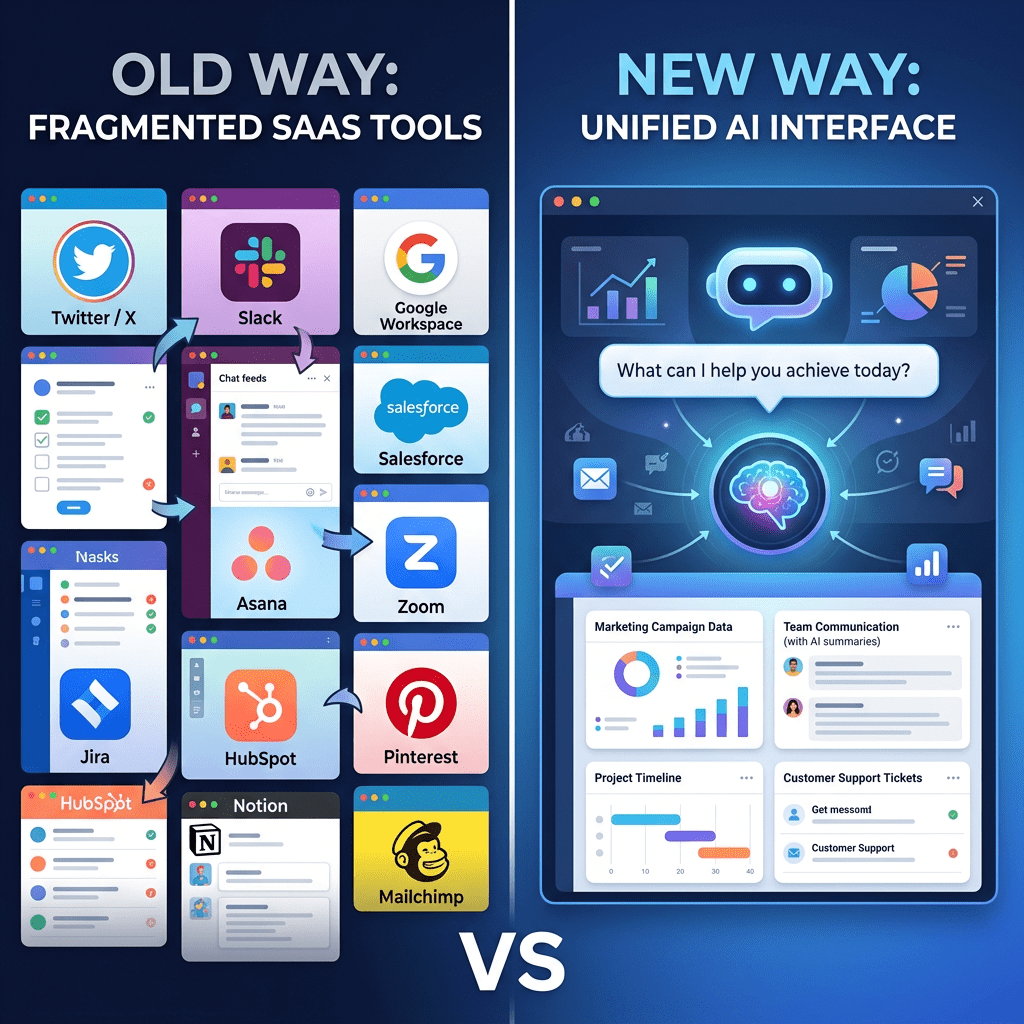
People are replacing $5,000/month tool stacks with a single AI agent. Here is an honest breakdown of how Perplexity Computer actually works, what it costs, and whether the hype holds up.
On February 25, 2026, Perplexity launched a product called Computer. Within hours, a post on X showing a Bloomberg Terminal clone built in a single afternoon racked up 7.5 million views. A solo founder claimed he replaced a six-figure marketing stack over a weekend. More than 100 enterprise customers messaged Perplexity in the same 48-hour window demanding access.
That kind of reaction does not happen for every AI launch. So what is actually going on here?
This post breaks down what Perplexity Computer is, how it differs from the Perplexity you already know, how to run your first complex task, the full pricing picture, and how it compares to Claude Cowork and ChatGPT Tasks for the same use cases. No hype, no cheerleading, just the honest version.
Perplexity Computer vs Regular Perplexity: What Changed
If you have used Perplexity before, you know it as a search engine that gives you answers with citations instead of a wall of blue links. You ask, it searches, it summarizes, you move on. It is genuinely good at that.
Computer is a different product entirely.
Regular Perplexity answers questions. Computer executes goals. You describe an outcome, and it figures out every step required to get there, including the steps you did not think to specify. It can research, write, code, design, deploy, and manage a project end-to-end without you staying in the room.
The key engineering difference: Computer orchestrates 19 different AI models simultaneously, routing each subtask to whichever model handles that type of work best. Claude Opus 4.6 runs the core reasoning. Gemini 3 Pro handles deep research. Grok takes on fast, lightweight tasks. GPT-5.2 manages long-context recall. Veo 3.1 generates video. Each model gets what it is good at, and an orchestration layer stitches the results together.
It also runs in an isolated cloud environment with a real filesystem, a real browser, and connections to more than 400 apps including Slack, Gmail, GitHub, and Notion. When it says it is working, it is actually working, not simulating the work.
That is the part the viral demos were showing. The Bloomberg Terminal clone was not built by typing prompts into a chat interface. It was built by an agent that pulled SEC filings, ran market data analysis, generated visualizations, and assembled everything into a dashboard, while the user went and did something else.
What the Viral Demos Actually Showed (and What They Did Not)
The post that exploded was from X user @hamptonism, who asked Computer to build him a financial terminal to analyze NVIDIA stock. Hours later, he had a dashboard with charts, company fundamentals, analyst sentiment, and market context, styled to look like Bloomberg’s iconic interface. He called Perplexity “the first AI company to truly go head-to-head with the Bloomberg Terminal.” Seven and a half million people saw it.
The excitement was real. But the framing needs some nuance.
What the demo built was genuinely impressive as a demonstration of what an AI agent can assemble in hours. It is not a Bloomberg Terminal in any production sense. Bloomberg processes more than 200 billion pieces of financial data daily across 6.5 million entities, with real-time feeds that trading desks depend on for execution-adjacent decisions. A Perplexity dashboard pulling from public sources is useful for research and narrative-building. It is not a substitute for low-latency data infrastructure. The people working in finance on actual live positions know this distinction matters.
The marketing stack story is more credible. One widely circulated claim said a solo founder replaced $225,000 per year in marketing tools over a single weekend by having Computer handle campaign research, ad copy, performance tracking, and reporting inside a single workflow. Perplexity’s own social accounts amplified that one, and the company’s head of revenue said the buzz was entirely organic. For a small team running tools like separate SEO platforms, social scheduling software, analytics dashboards, and copywriting subscriptions, the consolidation argument is real.
Here is the honest framing: Computer replaces time and administrative overhead better than it replaces infrastructure. The closer your work is to research, content, analysis, and coordination, the more it can legitimately replace. The closer it is to live data, compliance tooling, or execution systems, the more it supplements rather than substitutes.
How Perplexity Computer Works: Step by Step
You need a Perplexity Max subscription to access Computer. Once you have that, here is how a task actually runs.
- You describe the goal in plain language. Not a prompt. A goal. Something like: “Research the top five project management tools for remote engineering teams, compare pricing and key features, and build a comparison report I can share with my leadership team.” No special syntax needed.
- The orchestrator breaks it into subtasks. Computer identifies what needs to happen: web research on each tool, pricing page fetches, feature extraction, formatting into a structured document, and final assembly. It assigns each subtask to the model best suited for that type of work.
- Sub-agents run in parallel. Multiple models work simultaneously. One is pulling information on Tool A while another is analyzing Tool B. The orchestrator coordinates timing and dependencies.
- It works in the background. You do not need to watch. Computer checks in only when it genuinely needs input from you, like if an OAuth token expires, a site blocks scraping, or it hits an ambiguous decision point.
- You get a finished deliverable. Not a chat reply. A document, a dashboard, a structured report, a deployed webpage, whatever the goal required. The output lands in your Perplexity workspace.
- You review and iterate. You can follow up, ask for revisions, or spin up a new task that builds on the first one.
The credit consumption happens during steps 3 and 4. More complex tasks with more sub-agents and more model calls burn through credits faster. A research task typically costs somewhere between 100 and 500 credits. A full financial analysis pipeline can run between 500 and 1,500. You see the actual cost after the task completes, not before, which is a genuine limitation worth knowing before you let it run a large autonomous workflow.
Pricing Breakdown: Free, Pro, and Max
Perplexity’s pricing structure in 2026 has three tiers most individual users will care about:
| Plan | Price | Computer Access | Credits | Best For |
|---|---|---|---|---|
| Free | $0/month | None | None | Casual AI search, basic questions |
| Pro | $20/month | Gradual rollout | 4,000 credits/month | Regular research, Deep Research reports |
| Max | $200/month or $2,000/year | Full access | 10,000 credits/month | Agentic workflows, power research, labs |
The Max plan is not just Computer. For $200 per month you also get unlimited Pro searches, priority access to frontier models including GPT-5.2 and Claude Opus 4.6, Sora 2 Pro video generation, the Comet AI browser (now also available free as a standalone), unlimited use of Perplexity Labs for building dashboards and apps, and Model Council, which dispatches a single query to three frontier models simultaneously and synthesizes the results.
Enterprise Max starts at $325 per seat per month and adds security controls, audit logs, and SSO. If you exhaust your monthly credits, additional credits are available for purchase.
One thing to flag: credits disappear based on task complexity, and there is no per-task estimate before you run a task. You find out what it cost afterward. Perplexity does provide spending controls, but you have to set them proactively. Heavy users report spending between $300 and $500 per month once they start running complex multi-step workflows regularly.
Perplexity Computer vs Claude Cowork vs ChatGPT Tasks
This is the comparison most people actually want. Here is how the three main agentic AI products stack up for the same types of work.
| Perplexity Computer | Claude Cowork | ChatGPT Tasks | |
|---|---|---|---|
| Architecture | Cloud-based, 19-model orchestration | Desktop agent, local file access | Chat + Workspace Agents, cloud-based |
| Strengths | Broad autonomous workflows, research-heavy tasks, multi-app coordination | Scoped tasks with direct file access, human checkpoints, non-technical users | Versatility, creative tasks, large plugin ecosystem |
| Access | Perplexity Max ($200/month) | Claude Pro or Max plan ($20 or $200/month) | ChatGPT Plus or Pro ($20 or $200/month) |
| Best for | Solo founders, researchers, marketing teams replacing tool stacks | Knowledge workers, writers, people managing local projects | General productivity, content, coding with Codex |
| Runs without you | Yes, hours or longer | No, requires user at desktop | Limited, scheduled tasks only |
| Real-time web search | Core strength | Available via tool | Available via browsing |
| Limitations | Opaque credit costs, cloud-only, no pre-task cost estimate | Requires desktop app, does not orchestrate autonomously | Single-model reasoning, weaker citations |
The way to think about it is this. Claude Cowork is better when you want a scoped, focused agent that works with your local files and stops to check with you. Perplexity Computer is better when you want something that runs a broad multi-step workflow across applications without you babysitting it. ChatGPT sits in the middle: versatile, deeply integrated with OpenAI’s model stack, great for general-purpose work, but not as strong on real-time research or autonomous multi-app orchestration.
For most workflows, these tools are not competitors. They are complements. A growing number of teams use Cowork for daily structured content work and Computer for bigger research sprints.
What People Are Actually Using It For Right Now
Based on documented real-world use since the February launch, here is where Perplexity Computer has shown the most genuine traction:
- Marketing campaign management. Plan, execute, and optimize a complete digital marketing campaign without manually switching between four or five tools. One workflow handles research, copy generation, performance tracking, and reporting.
- Competitive analysis. Pull pricing pages, feature lists, and product positioning from competitors, generate a structured comparison, and package it as a shareable brief. Faster than a junior analyst, and you get full source citations.
- Financial dashboard building. Pull public SEC filings, earnings transcripts, and market data, analyze them, and generate a visual report. Not a Bloomberg replacement for live trading, but genuinely useful for investment research and investor updates.
- Due diligence workflows. Research a company or sector, compile regulatory context, identify key risks, and generate a structured memo, all in a single task.
- Data pipeline automation. Connect to data sources, run recurring transformations, and push results into Notion, Slack, or a shared Google Drive, without an engineer maintaining the pipeline.
- Content operations. Generate drafts, run SEO research, create image assets through integrated generation models, and structure editorial calendars, inside one agent session.
How to Run Your First Complex Task in Perplexity Computer
If you are on Max and want to test what this actually does, here is a practical first task that most people can get real value from immediately.
- Log into Perplexity. Go to perplexity.ai and confirm you are on a Max plan. Computer appears as a mode option in the interface.
- Write a goal, not a prompt. Bad: “Tell me about project management tools.” Good: “Research the five most widely used project management tools for remote software teams in 2026. For each one, pull current pricing, the top three user complaints from review sites like G2 and Capterra, and a one-sentence summary of who it is best for. Format it as a comparison table.”
- Select Computer mode. Toggle to Computer before submitting. This activates the orchestration layer rather than the standard search interface.
- Let it work. Do not hover. Computer will notify you if it needs input. For a task like this, expect it to take 10 to 20 minutes.
- Review the credit usage. After it finishes, check your usage dashboard at perplexity.ai/account/usage. Note how many credits the task consumed. This calibrates your sense of how much budget larger tasks will need.
- Set a credit cap before running anything large. In settings, configure a spending alert or hard cap before you send Computer off on an all-day research project. The per-task cost is only visible after completion, not before.
- Connect your apps for more powerful workflows. Computer’s real leverage comes from app integrations. Connect Slack, Gmail, Notion, or GitHub through the integrations settings, and tasks that touch those tools become genuinely autonomous.
The Honest Limitations You Should Know Before Subscribing
The product is impressive. It also has real rough edges worth knowing before you spend $200 a month.
Credit consumption is opaque before the fact. You do not know what a task will cost until after it runs. Set spending controls before running anything large.
Retry loops can drain credits fast. If an external connector fails because an OAuth token expired or a site blocks access, Computer sometimes retries repeatedly. Watch for this when connecting third-party apps.
It is cloud-only. Everything runs on Perplexity’s servers. If your workflow involves sensitive local files or air-gapped environments, this matters. The Personal Computer add-on (a companion Mac Mini product announced at the Ask 2026 developer conference) helps bridge this gap, but it is a separate hardware investment.
It is not a data infrastructure replacement. For workflows that need live trading data, real-time compliance feeds, or normalized financial databases, Computer is a research layer on top, not a substitute for the underlying data source.
The $200 starting price is real, but it is not the ceiling for heavy users. Documented user reports put actual monthly spend between $300 and $500 for people running complex workflows daily once you factor in credit top-ups.
The Bigger Picture: What This Launch Actually Signals
Perplexity started as a smarter search engine. It now has over 45 million monthly active users and crossed $450 million in annualized recurring revenue in March 2026, up from $200 million across all of 2025. That 50% jump in a single month tracks directly with the Computer launch and the shift from search to agentic workflows.
The company is valued at $20 billion and is backed by Nvidia, Jeff Bezos, and SoftBank. More than 100,000 enterprise clients now use the platform. The enterprise version of Computer launched at the Ask 2026 developer conference barely two weeks after the consumer version shipped.
What this really means is that the market for AI that answers questions is quickly becoming secondary to the market for AI that does the work. The “I replaced my entire stack in a weekend” stories are partly marketing amplification and partly something real: agentic AI is finally good enough that solo operators and small teams can eliminate coordination overhead that previously required full-time staff.
The interesting question is not whether Computer can replace a Bloomberg Terminal. It cannot, not in any serious operational sense. The interesting question is how many of the $5,000-per-month tool stacks running inside mid-sized companies are actually doing work that an orchestrated AI agent can handle at $200 per month. That number is likely larger than anyone is publicly admitting right now.
If you know someone running a SaaS-heavy operation who has never looked at what an AI agent can actually automate, send them this. The math is worth doing.
Sources and further reading
Perplexity takes its Computer AI agent into the enterprise, VentureBeat (March 2026).
Perplexity launches Computer AI agent that coordinates 19 models, priced at $200 a month, VentureBeat (February 2026).
Perplexity revenue surges 50% as AI startup shifts from search to autonomous AI agents, Tech Startups (April 2026).
Finance techie says they cloned Bloomberg’s $30k-a-year Terminal with Perplexity’s Computer, Tom’s Hardware (February 2026).
Perplexity Bloomberg Terminal: Can AI Replace a $30,000 Finance Stack?, Junia AI
What Is Perplexity Computer? The 2026 AI Agent Explained, Build Fast With AI
Perplexity Pricing 2026: Plans, API Costs and Comet Guide, Fello AI
What Is Perplexity Computer? Features, Pricing and How It Works, Sensi Sight

